
ADOBE EXPRESS
Live preview
PREVIEW

You know the moment. The design's nearly there, but the shadow's flat, or facing the wrong way, or just… default. Normally that's a trip to Photoshop. Shadow Studio means you stay put – grab the light, drag it, and watch the shadow follow.
Key features
Seven shadows, one light
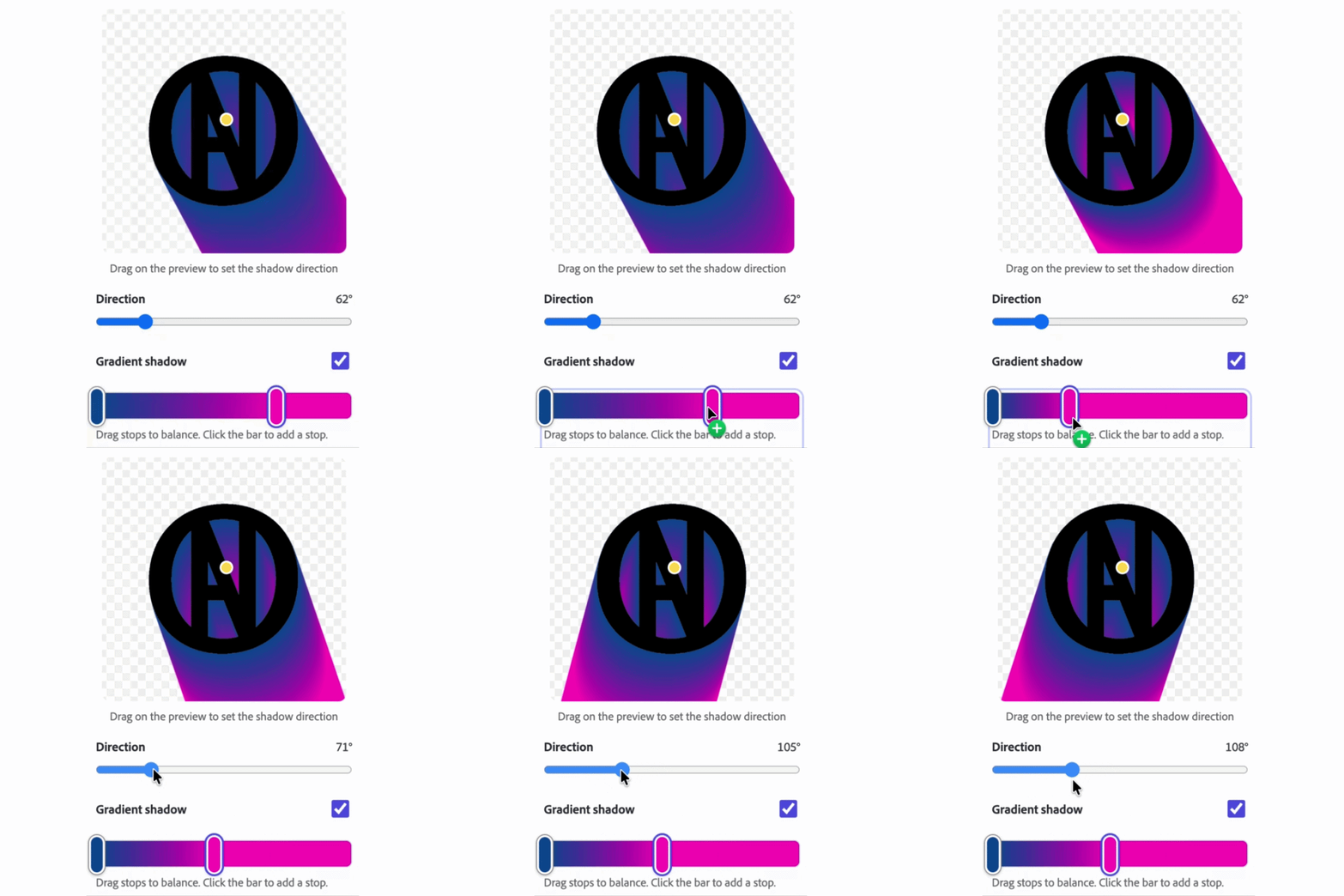
Basic, drop, dual, long, 3D perspective, inset, and contact – every one responding live to a draggable light source. Grab a 3D shadow and lean it, stretch it, or throw it in front of your subject when the light's behind. Layered styles run up to 240 deep with per-layer blur and opacity falloff, and shadow color comes flat or as a multi-stop gradient you build by dragging – click to add a stop, drag to balance, double-click to recolor.
Any image in
Upload, drag-and-drop, or pull straight from your page. One-click background removal isolates your subject, vectors rasterize cleanly, and soft feathered edges render right through every style. Add halftone or noise and the texture carries across the whole shadow, continuing behind your subject.
Animation without the keyframe pain
Capture a start, adjust, capture an end – Shadow Studio fills in the motion with your choice of easing, previewed live with play, pause, and restart. Export MP4 up to 1080p.
The compositor's shadow trick, automated
Export just the shadow as a video on white and it drops into your design with Multiply already applied – sit it behind your image, above the background, and it darkens whatever's beneath. The technique pros do by hand, done for you in one tick.
Presets that show themselves
Save any setup as a preset with a live thumbnail rendered through the real engine – what you see is exactly what you'll get. Stills export at SD, HD, or 4K across five aspect ratios, with a shadow-only option for layering under your own elements.
How it works
Bring in an image (or start with a shape), pick a shadow type from the icon bar, drag the light. Fine-tune, add a texture if the design wants one, hit Add to design. For motion, capture two frames and press play. For the shadow layer, tick one box.
TUTORIAL